

There is a peculiar moment that happens in software development: the business identifies an exciting innovative technology, the stakeholders get enthusiastic, a development project is approved, the team builds the feature, and the feature launch happens.
And then… the people who were supposed to use it don’t.
The feature sits there quietly, gathering digital dust, much like that New Year’s resolution purchase of a treadmill.
This problem is becoming increasingly visible with rapid adoption of AI.
Businesses are spending heavily on artificial intelligence and embedding AI capabilities into existing applications, but access and adoption are not the same thing. On a recent episode of AI Decoded, BBC examined this issue describing it as an ‘adoption gap’ between employees having access to AI tools and using them meaningfully. The program also highlighted a gap between AI training and access to AI tools.
CIO.com is seeing a similar shift at the enterprise level. Its 2026 State of the CIO research found that only 19% of respondents said their AI initiatives had met or exceeded business goals, while 18% said fewer than one-third of their AI use cases were meeting defined expectations. CIO identified unclear ROI metrics, unclear corporate strategy, and lack of in-house expertise among the barriers to scaling AI successfully.
The message for business leaders is straightforward:
The problem may not be that your users don’t want AI. The problem may be that you built an AI feature they don’t need.
The Technology is Not the Product
This is one of the most important distinctions in modern software development.
AI is a technology, and not automatically a product strategy.
Consider a hypothetical customer service application:
A stakeholder might decide that the application needs an AI-powered conversation summarizer because competitors have one.
The development team builds it. The model produces beautifully formatted summaries.
Everyone is impressed … except the customer service representatives.
Why?
Because their actual problem isn’t summarizing conversations. Their problem is finding the customer’s previous commitments, identifying unresolved issues, and understanding what needs to happen next.
The AI summary may be technically excellent and operationally useless.
That is a product-design failure, not a model failure.
Stakeholders Know the Business. Users Know the Work.
This distinction is crucial.
Executives understand strategic priorities, product leaders understand market requirements, IT leaders understand architecture, security and operational constraints, developers understand how to build the solution. But end users understand the thing none of those groups can replicate, what it is actually like to do the job.
Only end users know:
- Which screen(s) they leave open all day.
- Which spreadsheet exists because the official application doesn’t quite do what they need.
- Which reports they export and manipulate manually.
- Which field they enter incorrectly (repeatedly) because the interface makes it confusing.
- Where the five-minute task becomes a 45-minute task, every single time.
This information is gold during software discovery and is often missing from the requirements document.
The AI Adoption Gap Is Really a Workflow Gap
Reuters reported in August that established technology companies are emerging as unexpected beneficiaries of the AI boom because businesses are moving from experimentation toward deployment. But the article also highlights the difficulty of integrating AI with existing software, data and operational processes.
This is an important distinction.
Adding AI to an existing application does not automatically redesign the process surrounding that application.
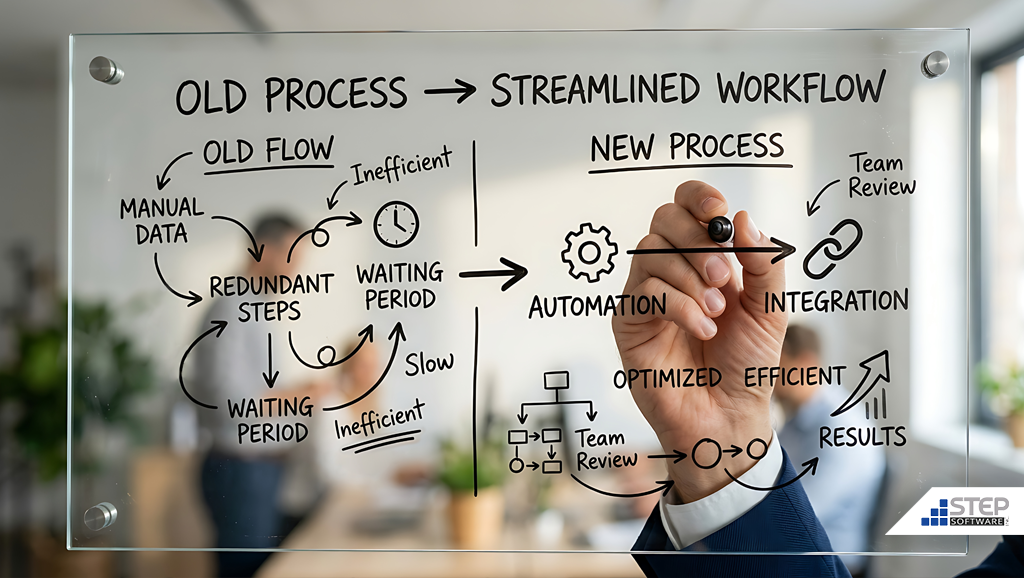
If an employee previously had to complete five screens, obtain two approvals, and send an email before completing a task, adding a chatbot to the first screen doesn’t necessarily fix anything.
That new chatbot may have simply been added to a bad workflow.
A better question to ask is:
“If we could redesign this process from scratch, what would we actually want the user to do?”
Once you have these answers, only then should you ask where AI can help.
More AI Does Not Automatically Mean More Productivity
There is also growing evidence that AI adoption should not be measured simply by usage.
CIO.com reported in June that organizations are increasingly moving away from measuring success through adoption alone and toward measurable business value. Some organizations have burned through AI budgets while encouraging employees to experiment broadly, prompting IT leaders to focus more heavily on high-impact use cases and cost controls.
Ars Technica recently reported on analysis of 15 million real AI interactions that found most tasks at most jobs were unaffected by AI.
That doesn’t mean AI isn’t useful; it means something more nuanced: AI is useful where it fits the work.
A feature that saves a user 30 seconds once a month is technically automation and likely not a good strategic investment. A feature that eliminates 30 minutes of repetitive work every day for 500 employees is a vastly different conversation.
This is why use-case selection matters.
Build What Is Needed, Not What Sounds Impressive
The correct solution begins with better discovery.
Before approving another AI feature, organizations should ask: “What problem are we trying to solve?”
If the answer is ‘we need an AI feature,’ stop, immediately.
That’s a technology requirement, not a business problem.
Instead ask:
- What task is taking too long?
- What information is difficult to find?
- Where are employees repeatedly entering the same information?
- Where are errors occurring?
- What decisions are being delayed?
- What work is repetitive but still requires human review?
- What part of the workflow creates the most frustration?
Then quantify the problem:
- How many users experience it?
- How frequently?
- How much time does it consume?
- What does that time cost?
- What happens when something goes wrong?
Once you have these answers you will have something worth designing around.
Prototype Before You Build the Ferrari
An often overlooked and useful change is moving more of the investment upstream. Instead of spending months building the complete AI capability, create a prototype.
Put the prototype in front of real users, watch them use it and equally important, watch what they don’t use. That last part can be uncomfortable; users may ignore the feature you spent the most time building.
Good.
You just learned something before spending even more money.
Software development should not be a contest to see who can turn a requirements document into production code the fastest. Instead, it should be a process of reducing uncertainty.
Where a Third-Party Software Developer Can Help
This is where an experienced external software development partner can provide considerable value.
A third-party team can sit between business stakeholders, IT and end users and ask some uncomfortable but useful questions.
- Is this actually the problem?
- Does AI solve it?
- Could an existing application be modernized instead?
- Would an API or middleware layer solve the integration problem?
- Could workflow automation deliver the same result at a fraction of the cost?
- Does solving this problem add or subtract from existing technical debt?
- What happens if we don’t build this?
Those questions can save money; they can also save development capacity. But more importantly, they can prevent a common enterprise technology problem: continuing to spend money on a solution simply because the organization has already spent money on it.
That is the sunk-cost trap.
If users aren’t adopting a feature, the answer isn’t necessarily another round of training.
Sometimes it is better discovery, sometimes it is redesign, sometimes it is fixing the workflow underneath the feature. And sometimes, it’s admitting that the original idea was wrong; that’s not failure, that’s good software engineering.
The Best AI Feature Might Be the One You Don’t Build
There is tremendous pressure on organizations to demonstrate that they are doing something with AI. This pressure can produce some impressive demos; it can also produce software nobody uses and balloon AI technical debt.
The organizations that get the most value from AI will likely be the ones that become disciplined about distinguishing technology possibility from business value.
CIO.com’s 2026 research makes that shift particularly clear: organizations are moving toward structured governance, measurable KPIs and use-case prioritization rather than simply launching more pilots.
The same principle applies whether the feature uses AI, automation, APIs, cloud computing or something that has been sitting in the technology toolbox for twenty years.
- Start with the user.
- Understand the problem.
- Redesign the workflow.
- Choose the technology.
- Build the smallest useful solution.
- Measure the result.
- Scale what works.
Because ultimately, your software doesn’t get a return on investment because it is clever, it gets a return because someone uses it to accomplish something that matters. If your latest AI feature isn’t getting used, don’t immediately blame your users; they may be telling you something much more valuable:
You built the wrong thing.
And that’s a problem worth solving and where a trusted software development partner can help you get there.
We’ve been helping businesses solve their most annoying software challenges for over 20 years, reach out to our advisors for a complimentary 30-minute call before that next feature joins a growing collection of very impressive software nobody opens.


